
Live result summaries
See response counts, summaries, and question-level results as answers arrive.
Turn survey responses into clear summaries, protected report links, and export-ready files. usurvey.it keeps the answer trail connected from collection to the final report, so every chart, table, and export can be traced back to the survey that produced it.
Survey report workspace
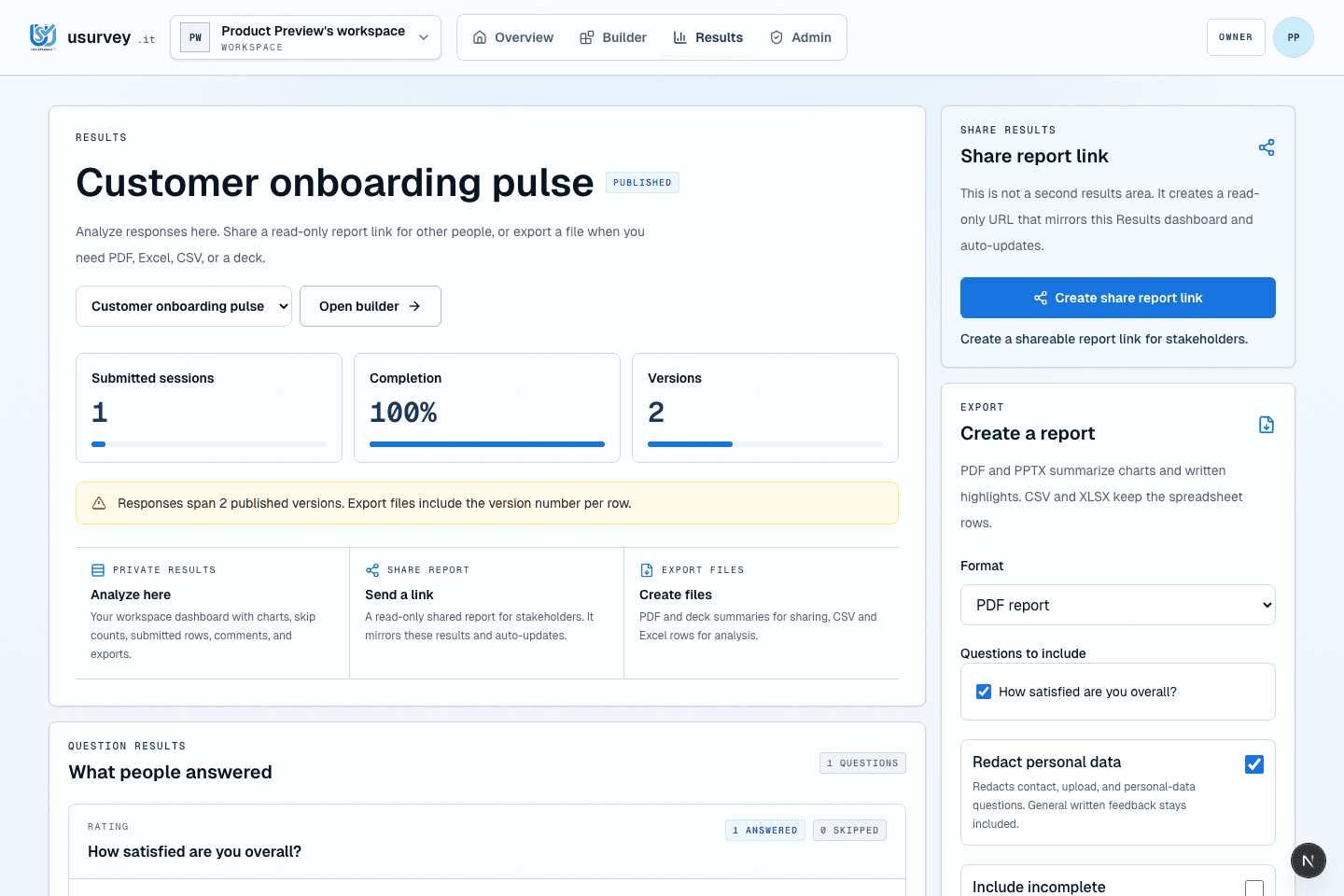
Results
Live summaries
Share
Protected report links
Exports
CSV to PPTX
The reporting workflow is strongest when collection, review, sharing, and export live in one product path instead of four separate tools. That reduces copied charts, duplicate spreadsheets, and unclear report versions after stakeholders start asking for the data.
See response counts, summaries, and question-level results as answers arrive.
Keep raw responses, charts, and report files close to the survey that produced them.
Export CSV, XLSX, PDF, and PPTX files when stakeholders need a file they can review.
Use protected sharing paths when results need to be reviewed without giving full workspace access.
These survey workflows work best when the team already knows how the answer will be reviewed, who should see it, and what format is needed after collection.
Live readout
Review response counts, answer distributions, and open comments while the survey is still live so the team can decide whether to keep collecting.
Controlled review
Share a protected results link with stakeholders who need the findings but should not receive full workspace access or raw export files.
Report handoff
Export CSV for analysis, XLSX for handoff, PDF for review, and PPTX for meetings without rebuilding the report in another tool.
Good survey prompts name a moment, avoid vague sentiment, and give the team a next action.
Decision
Make the reporting need explicit before collecting data.
Which decision should this survey report help us make?
Follow-up
Capture the context that makes answers useful in a report.
What detail would help explain your answer to the team?
Report handoff
Keep the export audience in mind from the start.
Who needs to review the final survey findings?
Survey reporting gets risky when results turn into copied charts and scattered files. Keep summaries, answer context, and export decisions tied to the original survey workspace.
Yes. usurvey.it supports CSV, XLSX, PDF, and PPTX exports so survey findings can move into analysis, review, and presentation workflows. Each export starts from the same survey record, which helps preserve context when reports leave the app.
Yes. The results workspace shows submitted responses and summaries while the survey is active. Teams can review early patterns, decide whether to keep collecting, and prepare the handoff before the survey closes.
Yes. Shared report links and workspace roles keep the results path more controlled than sending loose files by default. When a file is needed, exports can be created deliberately for the audience and meeting format.
Ready to turn the next survey into a useful report?
Start free